

 Digital AV Support > Audio > Download > SOUNDSLAYER Engine
 SOUNDSLAYER Engine | 初期設定ガイド
SOUNDSLAYER Engine | Initial Setup Guide
SOUNDSLAYER Engine | 初期設定ガイド
SOUNDSLAYER Engine | Initial Setup Guide
概要
Overview
SOUNDSLAYER Engineアプリを正しくご利用いただくための初期設定手順を案内します。下のガイドに沿って順に設定を行ってください。各手順の詳細はリンク先でご確認いただけます。
- 初期設定ステップの概要
This guide provides the initial setup steps required to properly use the SOUNDSLAYER Engine app.
Please follow the instructions below; detailed information for each step is available via the
provided links.
- Overview of Initial Setup Steps
初期設定ステップ詳細
Detailed Initial Setup Steps
1. アプリをインストールする
1. Install the app
2. アプリに操作機器を登録する
2. Register your device in the app
アプリをインストールした後、機器をアプリに登録するとアプリから機器を操作できるようになります。
※Windows/macOSとAndroid/iOSでは登録手順が異なります。ご利用のプラットフォームの手順を参照してください。
Android/iOS版はこちら:Android/iOSの手順へ
※Windows/macOSとAndroid/iOSでは登録手順が異なります。ご利用のプラットフォームの手順を参照してください。
Android/iOS版はこちら:Android/iOSの手順へ
After installing the app, register your device in the app to operate it from the app.
*Registration procedures differ between Windows/macOS and Android/iOS. Please follow the instructions for your platform.
For Android/iOS, see: Android/iOS instructions
*Registration procedures differ between Windows/macOS and Android/iOS. Please follow the instructions for your platform.
For Android/iOS, see: Android/iOS instructions
【Windows、macOSの場合】
[For Windows/macOS]
1. SOUNDSLAYER Engineアプリを起動する。
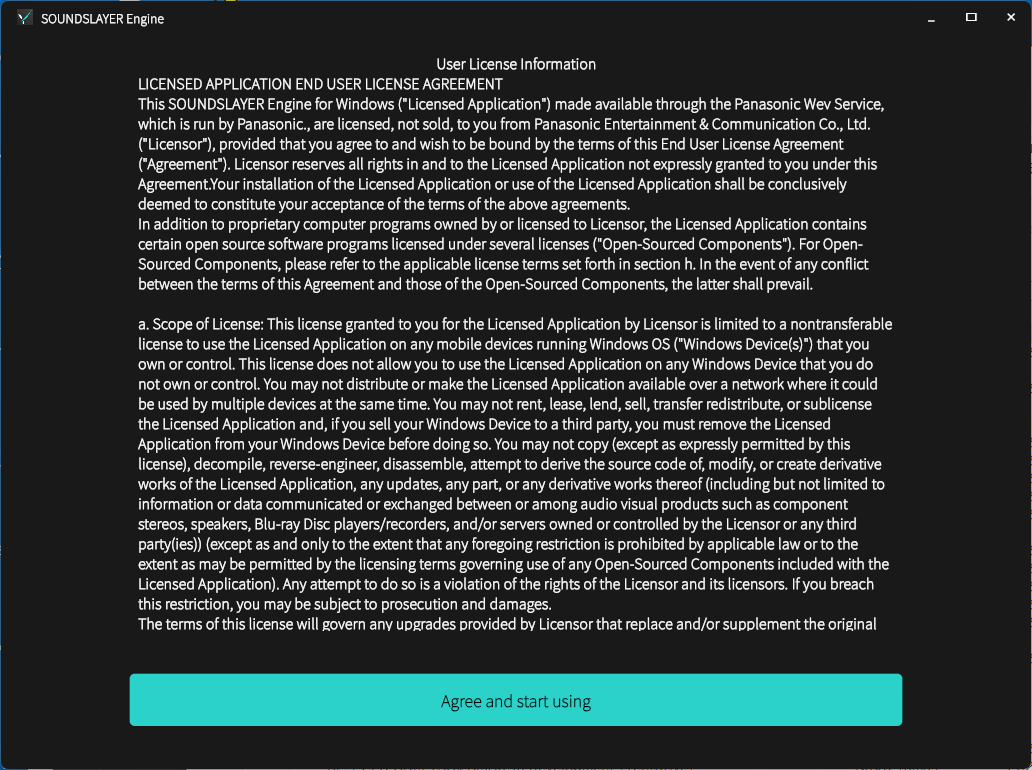
1. Launch the SOUNDSLAYER Engine app.2. 利用規約に同意する。 2. Agree to the Terms of Use.
3. プライバシーポリシーに同意する。
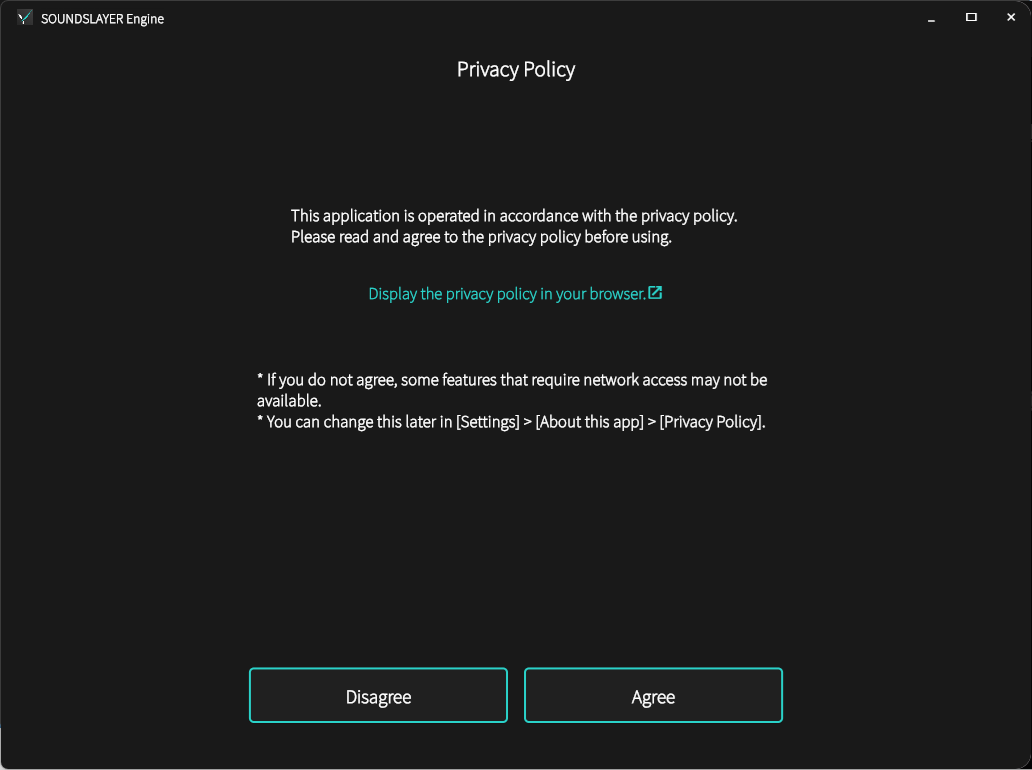
※同意いただくことで、新しいファームウェアが公開された際にアプリ内で通知を受け取れます。 3. Agree to the Privacy Policy.
*By agreeing, you will receive notifications in the app when new firmware is released.
4. パソコンに送信機(SC-GNW30 / GNW10S-BH / GNW10S-FF / GNW10S / GNW10)をUSBケーブルで接続する。 4. Connect the transmitter (SC-GNW30/GNW10) to your computer using a USB cable. ※SC-GNW30はACアダプターも接続してください。 *For the SC-GNW30, also connect the AC adapter.
5. ネックスピーカーのランプが点灯するまで、ネックスピーカーの電源キーを押し続けて、ネックスピーカーの電源を入れる。 5. Press and hold the power key on the neck speaker until the lamp lights up to turn on the neck speaker.
6. SOUNDSLAYER Engineアプリ画面に以下のサウンドコントロール画面が表示されることを確認する。 6. When the following sound control screen appears in the SOUNDSLAYER Engine app, the initial setup is complete.
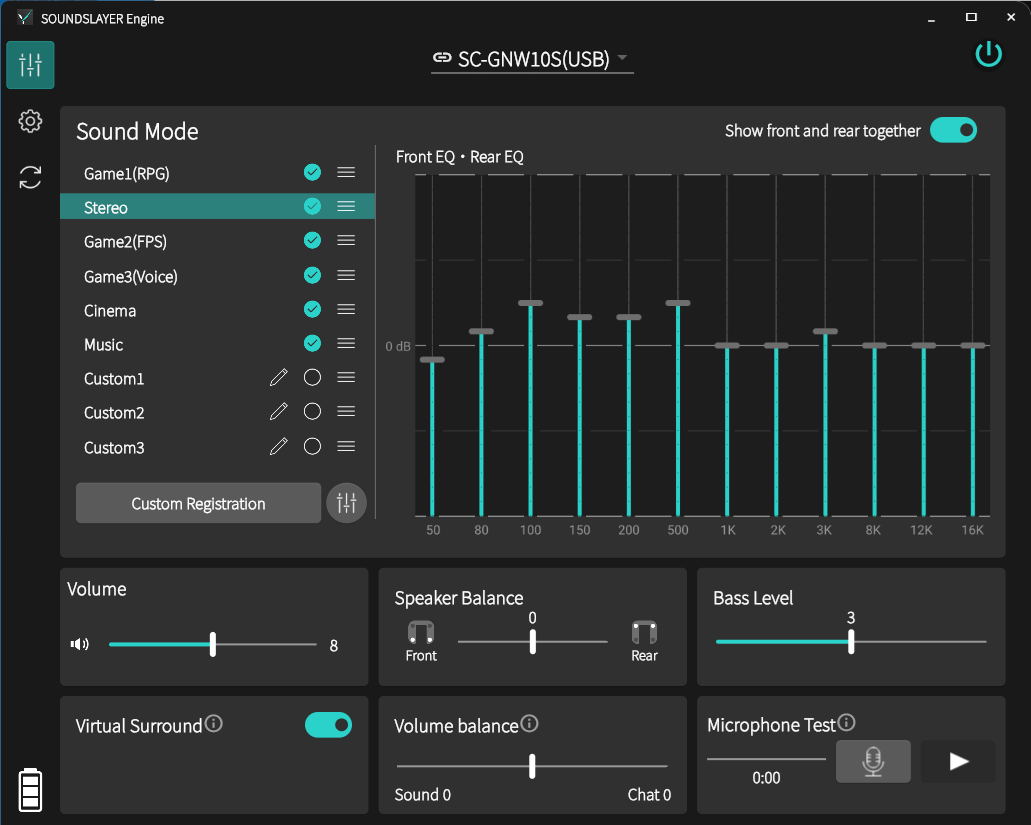
以上で初期設定は完了です。アプリの使い方は基本操作ガイドをご覧ください。 This completes the initial setup. For instructions on using the app, please refer to the Basic Operation Guide.
【Android、iOSの場合】
[For Android/iOS]
1. SOUNDSLAYER Engineアプリを起動する。
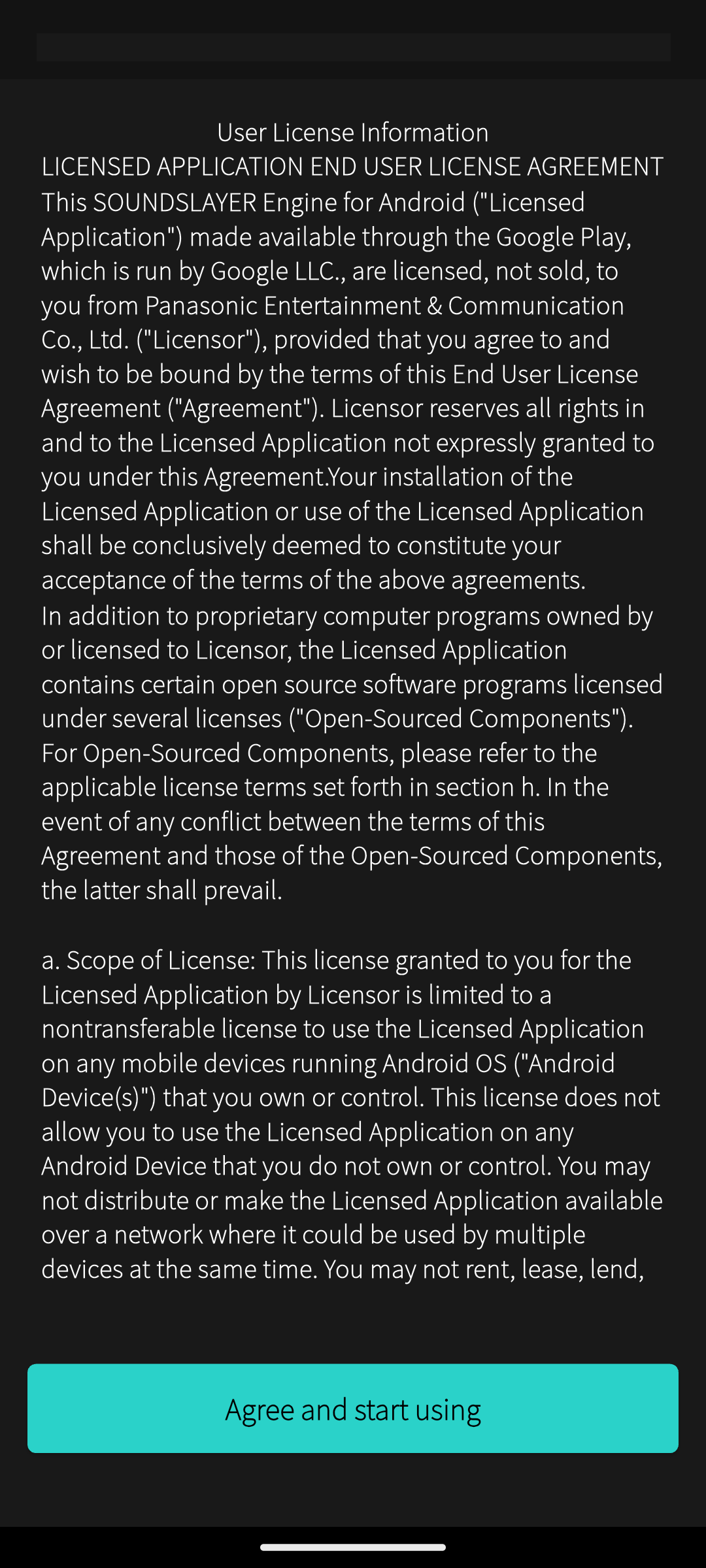
1. Launch the SOUNDSLAYER Engine app.2. 利用規約に同意する。 2. Agree to the Terms of Use.
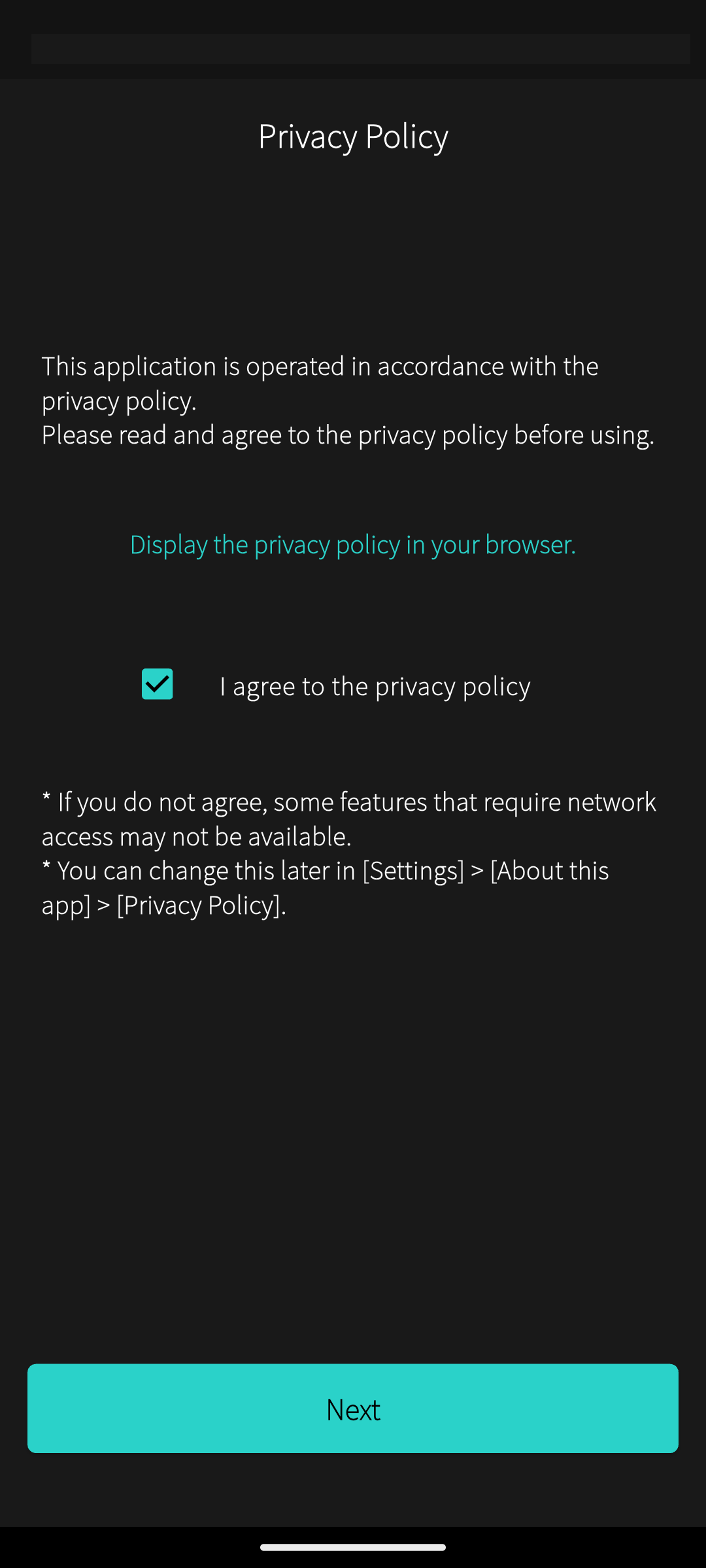
3. プライバシーポリシーに同意する。
※同意いただくことで、新しいファームウェア公開時にアプリ画面上でお知らせを受け取れます。 3. Agree to the Privacy Policy.
*By agreeing, you will receive notifications in the app when new firmware is released.
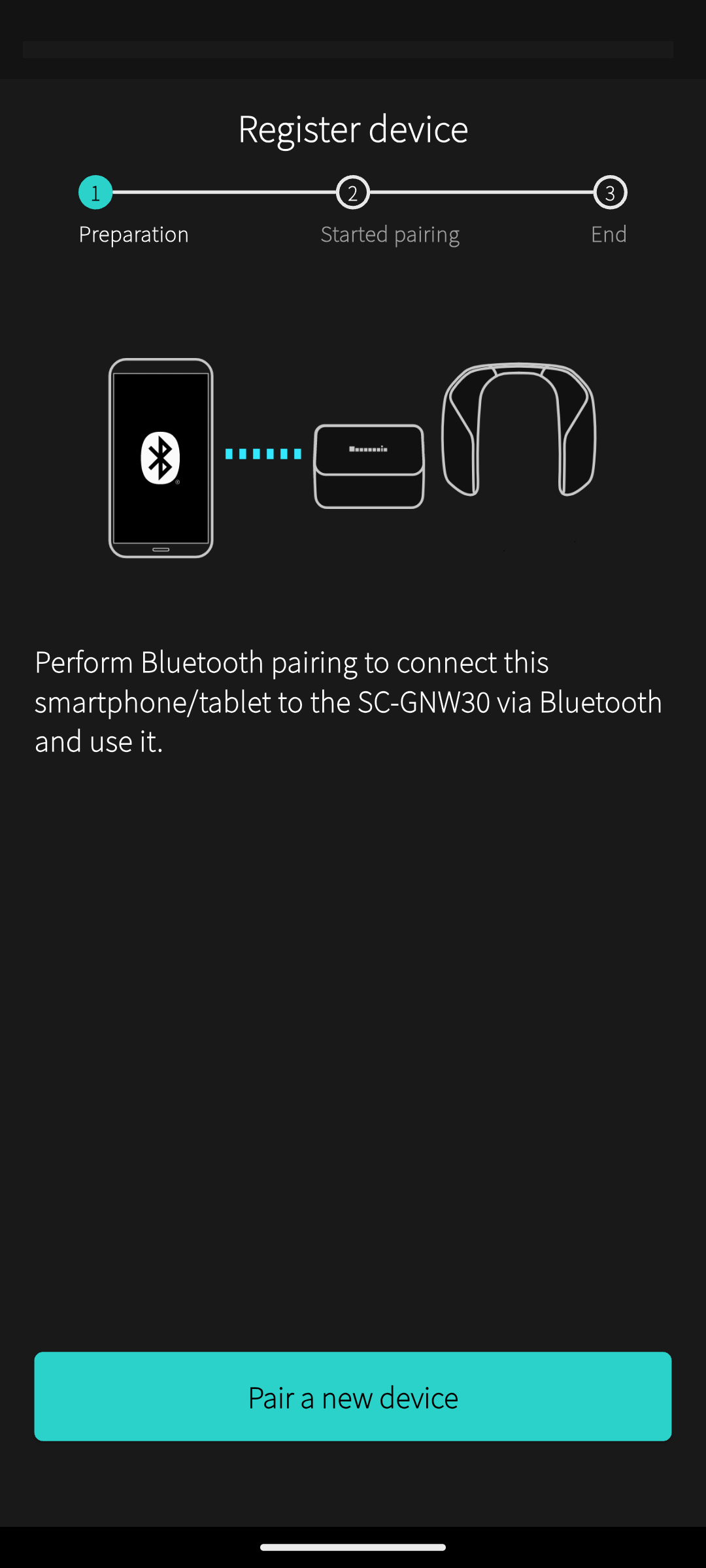
4. 画面の案内に従い、スマートフォン・タブレットとSC-GNW30をBluetoothでペアリングする。 4. Follow the on-screen instructions to pair your smartphone or tablet with the SC-GNW30 via Bluetooth.
5. 再度、SOUNDSLAYER Engineアプリを起動し、アプリ画面に以下のサウンドコントロール画面が表示されることを確認する。 5. Launch the SOUNDSLAYER Engine app again and make sure the following sound control screen appears.
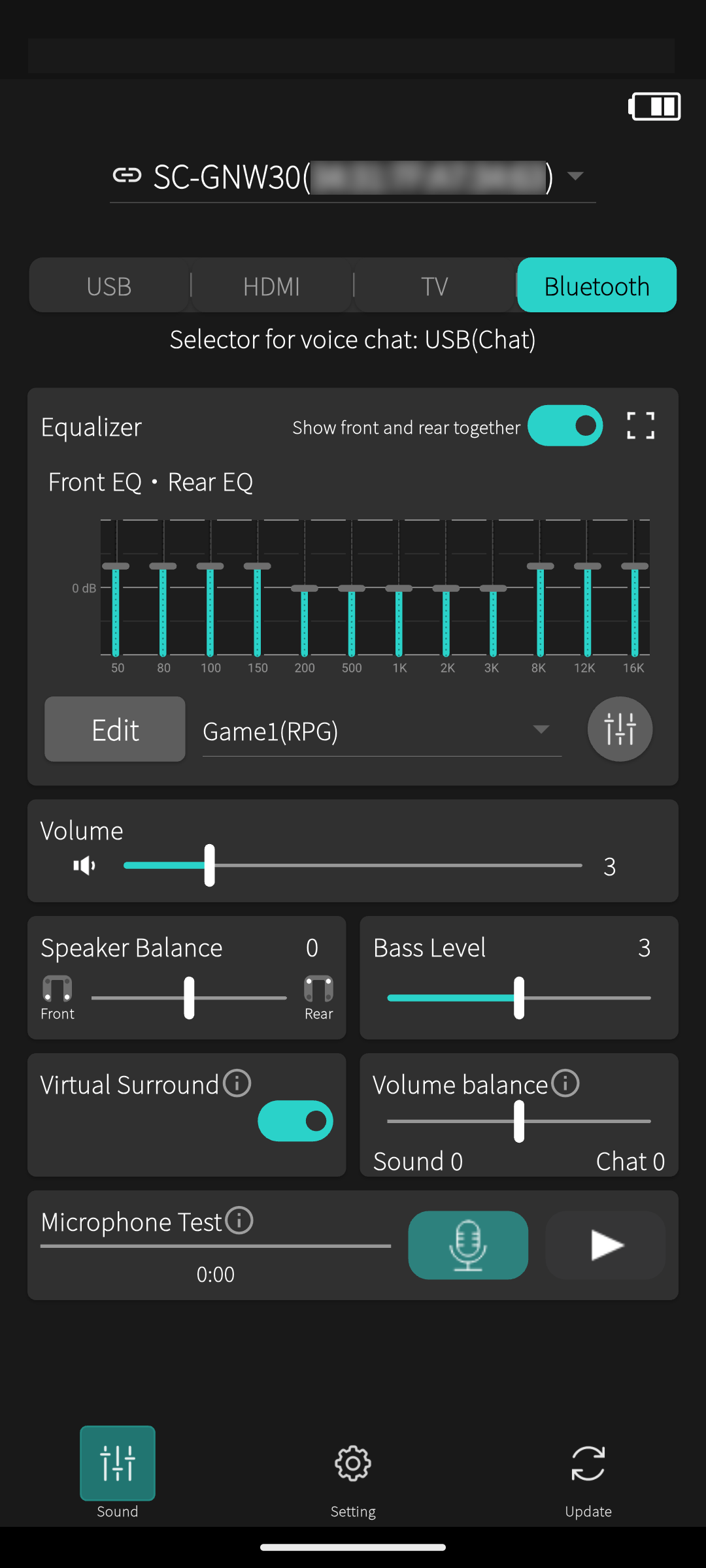
以上で、初期設定は終了です。アプリの使い方は、基本操作ガイドをご覧ください。 This completes the initial setup. For instructions on how to use the app, please refer to the Basic Operation Guide.