
 Digital AV Support > Digital Camera > FAQ > Registering Certificates Required for Live Streaming
Text begins from here.
Registering Certificates Required for Live Streaming
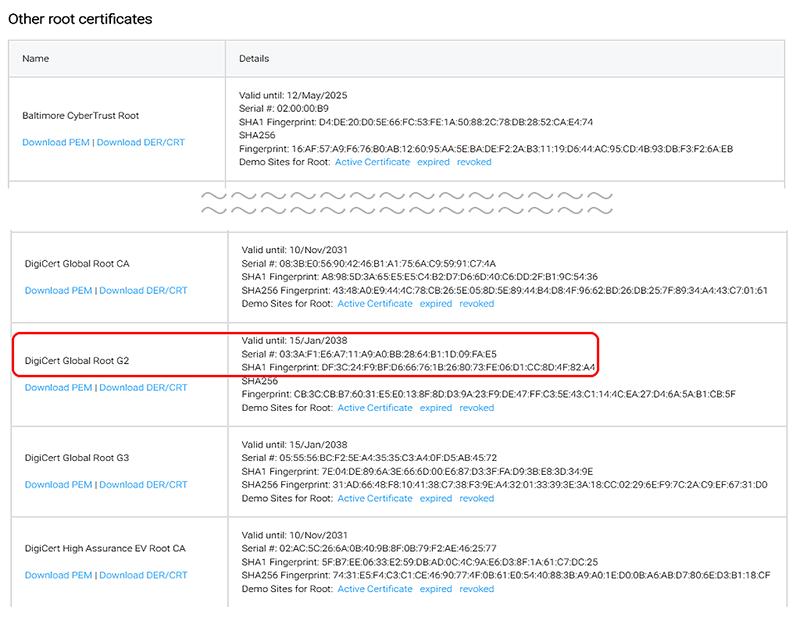
- Download the required root certificate
<URL> https://knowledge.digicert.com/general-information/digicert-trusted-root-authority-certificates<Certificate to download> Under "Root Certificates", download:DigiCert Global Root G2 (PEM format) - Save the downloaded file to the root directory of the SD memory card
Note: If the file is saved anywhere other than the root directory, the camera will not be able to read it.Note: Ensure that the file extension is one of the following:.pem.cer.crt - Insert the SD memory card into the camera
- Turn on the camera and load the root certificate from the camera menu
MENU/SET - [Setup] - [Others] - [Root Certificate] - Complete certificate registration
When "Registration Complete" appears on the screen, the certificate registration process is complete.Note: Registered certificates can be verified under "Certificate Information."
【When the Streaming Destination is Facebook Live】