

 Digital AV Support > Blu-ray Disc™ Player/Recorder > Download > SC-BTT370/770 Firmware Updating (North America)
SC-BTT370/770 Firmware Updating (North America)
You can manually update the firmware.
1. Press the [HOME] button on the remote control to open the Home menu screen.
2. Up, Down, Left and Right cursor buttons on the remote control, select the "Others" -> "Setup" - "Setup" menu will appear.

3. Using the Up and Down cursor buttons on the remote control, select "Firmware Update".
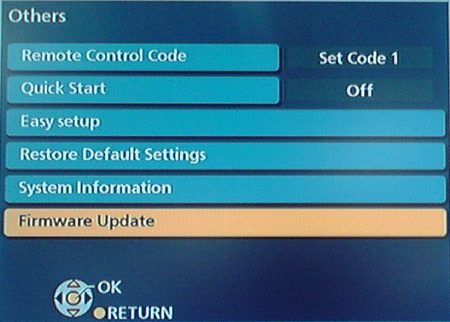
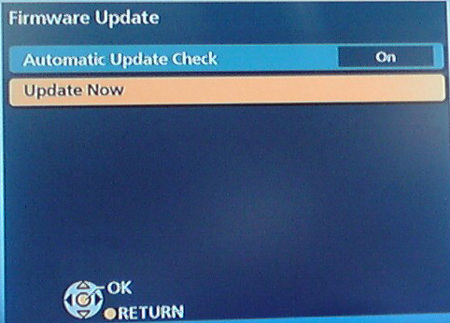
4. Using the Up and Down cursor buttons on the remote control, select "Update Now".
5. Using the Left and Right cursor buttons on the remote control, select "Yes".
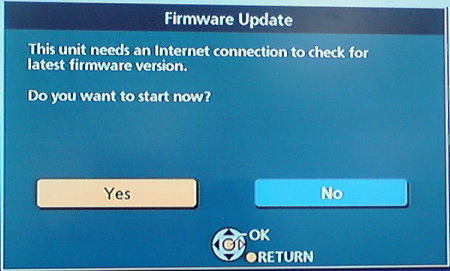
6. Firmware updating will start. Follow the on-screen instructions.