

 Digital AV Support > Blu-ray Disc™ Player/Recorder > Download > DMP-B500 Firmware Updating (North America)
DMP-B500 Firmware Updating (North America)
You can manually update the firmware.
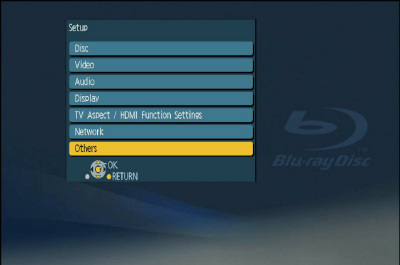
- Press the [SETUP] button on the remote control to open the display menu screen.
- Using the Up and Down cursor buttons on the remote control, select the "Others" tab - "Others" items will appear.
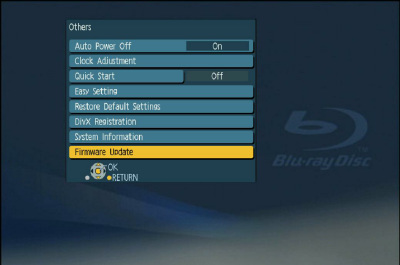
- Using the Up and Down cursor buttons on the remote control, select "Firmware Update" and press [OK].
- Using the Up and Down cursor buttons on the remote control, select "Update Now" and press [OK].
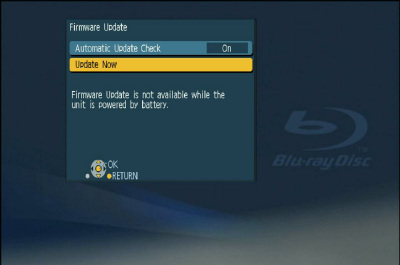
- Using the Left and Right cursor buttons on the remote control, select "Yes" and press [OK].

- Firmware updating will start. Follow the on-screen instructions.